
Best AI app builders for iOS & Android (real costs, honest criteria)
Published November 1, 2026 · by NapBuild
Short answer. Eight tools in this list really produce an iPhone and Android app, not just a website. For the lowest first-year bill, NapBuild, Anything and Rork come out cheapest on paper. For a visual editor, FlutterFlow, Adalo or Bubble fit better. For React Native code you control, Bolt does. NapBuild goes furthest on its own (market study, tests, store listing, upload), but it needs a Windows or Mac computer and your own AI subscription.
Every price below was read on the company’s own pricing or documentation page on November 1, 2026. Prices change, so check the page before you pay. No tool can promise that Apple or Google will accept your app: the stores decide.
How we chose
We kept tools whose official documentation says they produce an app you can submit to the App Store, Google Play or both. Pure web builders are out. Lovable is the best-known example: its documentation says it builds web apps and "does not generate React Native projects". You can make it installable as a web app, or wrap the published site yourself with Capacitor and submit that shell. That is a fine route, but it is work done outside the tool.
The criteria are the ones that decide your bill and your weekend:
- What the app is made of: real native or React Native code, or a website wrapped in a native shell.
- What is automated when you publish, and what you still do by hand.
- The entry price that includes publishing, and how AI usage is counted.
- Whether you can take your code with you.
- Who it suits.
The comparison
| Tool | What it builds | Store publishing | Entry price (Nov 1, 2026) | Code |
|---|---|---|---|---|
| Rork | Native: Swift for iPhone, Kotlin for Android, one codebase each | iOS: Rork builds and submits. Android: Rork builds the file and can send it to internal testing | Pro $20/month, 100 credits | GitHub sync on paid plans |
| Anything | Expo (React Native) | iOS: built-in. Android: beta, sent as a draft to internal testing | Pro $19/month, 20K credits | Export listed on pricing page, plan not shown |
| Replit | Expo (React Native) | iOS from the editor via TestFlight. Google Play not supported | Core $20/month ($18 yearly) | Not found on its mobile page |
| Bolt | Expo (React Native) | You run Expo’s build commands on your computer | Pro $25/month, 10M tokens | Download the code |
| Base44 | A web app inside a native web view | Creates the store files; you submit them | Builder $40/month, billed yearly | GitHub sync on Builder and above |
| FlutterFlow | Flutter | Button for the App Store after setup; Google Play after a first manual upload | Basic $39/month, 50 AI requests | Code download on Basic |
| Adalo | Native iOS and Android | Adalo builds and signs; you complete the guided submission | Builder $65/month ($624 yearly) | Full export not found |
| Bubble | Native mobile on React Native | iOS: Bubble builds and submits after you upload Apple keys. Android: you upload the file | Starter $59/month, billed yearly | Not mentioned |
| NapBuild | Wrapped web (Capacitor), Expo or fully native, your choice | Signed Android build, listing, visuals, upload to Google Play if you allow it. iPhone project and listing prepared; you submit | $24.90/month, $119/year, $299 once | The code is yours |
Credits are not the same thing in every tool, so compare them with caution: a Rork credit, an Anything credit and a Bolt token are different units.
The real cost of a first year
The price on the home page is only part of it. Add the developer accounts: $99 per year for Apple (Apple) and $25 once for Google (Google). Both are yours to pay, whatever tool you pick.
This table is our arithmetic, not a figure from the companies: twelve months of the entry plan that includes publishing, plus $124 for the two developer accounts. Extra credits or tokens are not counted, and neither is your own AI subscription for NapBuild.
| Tool | Twelve months of the plan | With both developer accounts |
|---|---|---|
| NapBuild (yearly plan) | $119 | $243 plus your AI subscription |
| NapBuild (monthly plan) | $178.80 | $302.80 plus your AI subscription |
| Replit Core | $240 ($216 at the yearly rate) | $339 (iOS only inside Replit) |
| Anything Pro | $228 | $352 (if Pro includes store submission) |
| Rork Pro | $240 | $364 |
| Bolt Pro | $300 | $424 |
| FlutterFlow Basic | $468 | $592 |
| Base44 Builder | $480 | $604 |
| Adalo Builder (yearly) | $624 | $748 |
| Bubble Starter | $708 | $832 |
Two caveats matter more than the ranking. First, the tools that include AI credits can cost more if you use them heavily: Rork charges extra credits for iOS builds, for example. Second, NapBuild does not bundle any AI. You connect the Claude, ChatGPT, Grok or Gemini subscription you already pay for, so the real total depends on that bill. As of November 1, 2026, NapBuild’s checkout was not open yet; the 48-hour trial was.
For the three NapBuild prices and what each includes, see the pricing.
Tool by tool
Rork
Rork is the strongest pick if you want a native app built from a chat and you do not want a computer full of tools. Its documentation says new iPhone apps are Swift and new Android apps are Kotlin, each with its own code, sharing one chat. Older Expo projects still work. Rork’s own FAQ page still describes React Native and Expo, so the two pages disagree; we followed the documentation.
Publishing is among the most automated flows we read. For iOS, Rork builds on its machines with no Mac or Xcode, then submits; you finish the product page in App Store Connect. For Android, Rork builds the file and can send it to your internal testing track, once you have created the app in the Play Console. The free plan cannot publish. Rork wins over NapBuild if you would rather have the build run in the cloud than on your own computer, or if you want something running in minutes.
Anything
Anything makes Expo (React Native) apps and starts at $19 a month with 20K credits. iOS publishing is built in, with a review check before you submit. Android publishing is in beta and uploads a draft to Google’s internal testing track. Anything beats NapBuild on speed and on price per month if your idea is a simple app and you do not mind credits running down. The pricing page lists App Store submission and code export but does not show which plan includes them, so confirm that the $19 Pro plan does before you count on it.
If you are choosing between these two, read Rork vs Anything.
Replit
Replit builds React Native apps with Expo, from the browser, and publishes to the App Store through TestFlight. Its documentation states that publishing to Google Play is "not yet supported". That makes it an iPhone-first tool. Core costs $20 a month, or $18 billed yearly. If you want one browser workspace and an iPhone app, Replit is a good fit and beats NapBuild on that. If you need Android in the store, you do that part elsewhere.
Bolt
Bolt produces an Expo project when you say "mobile app" in your first message. The publishing path is real but manual: install Node.js and Git, create an Expo account, and run Expo’s build commands yourself. Bolt does not hide that. Pro is $25 a month with 10M tokens. Choose Bolt if you or someone on your team can read React Native and wants the code. It is not the choice for a first-time builder who wants the stores done for them.
Base44
Base44 does not build a native app. It wraps your published web app in a secure web view and generates the store files; you submit them yourself. You need the Builder plan or higher to download them ($40 a month billed yearly; the $16 Starter does not include it). The documentation also warns that these apps cannot yet sell digital content through Apple or Google billing. Base44 is the better answer when you want a web app first and a store listing second.
FlutterFlow
FlutterFlow is a visual builder with Flutter code you can download. Basic is $39 a month with 50 AI requests, and it lists code download and one-click App Store deployment. "One-click" comes after a real setup: an Apple bundle ID, an API key and an app in App Store Connect, as its guide shows. On Google Play, the first file is uploaded by hand, then later releases go from FlutterFlow. It is the best fit for freelancers and agencies who want a visual editor and a code handover. It wins over NapBuild if you want to lay out every screen in a visual editor.
Adalo
Adalo is no-code. It compiles and signs the iOS and Android apps for you, and the publishing page describes a guided submission where you supply screenshots and descriptions. Builder is $65 a month, or $624 billed yearly, for two published apps. We did not find a full code export. It suits someone who wants to drag and drop a database-driven app and stay inside one product.
Bubble
Bubble builds native mobile apps on React Native, with a visual editor. For iOS, after you upload your Apple keys, Bubble builds, sends to TestFlight and submits. For Android you download the file and upload it yourself, and keep the signing key safe. Starter is $59 a month billed yearly. Its AI builder is labelled beta for mobile. Its strength is data and logic built visually; it is also the priciest entry plan here. We did not find a code export.
NapBuild
NapBuild follows a different design: it runs on your own computer and uses your own AI subscription, so there is no credit meter. It works through ten steps from the idea and the market study to the store listing, with independent judges, simulated users and a real Android phone check before the app counts as ready. You pick how the app is built: wrapped web with Capacitor, React Native with Expo, or fully native in Kotlin and Swift.
For Google Play it prepares the signed build, listing, visuals and data safety form, and uploads the app if you allow it. For the App Store it prepares the iPhone project, listing and visuals in Apple’s sizes; building and signing happen on a Mac or in the cloud, and you submit with your own Apple account. Google’s closed test for new personal accounts (at least 12 testers for 14 days) still applies to every tool on this page.
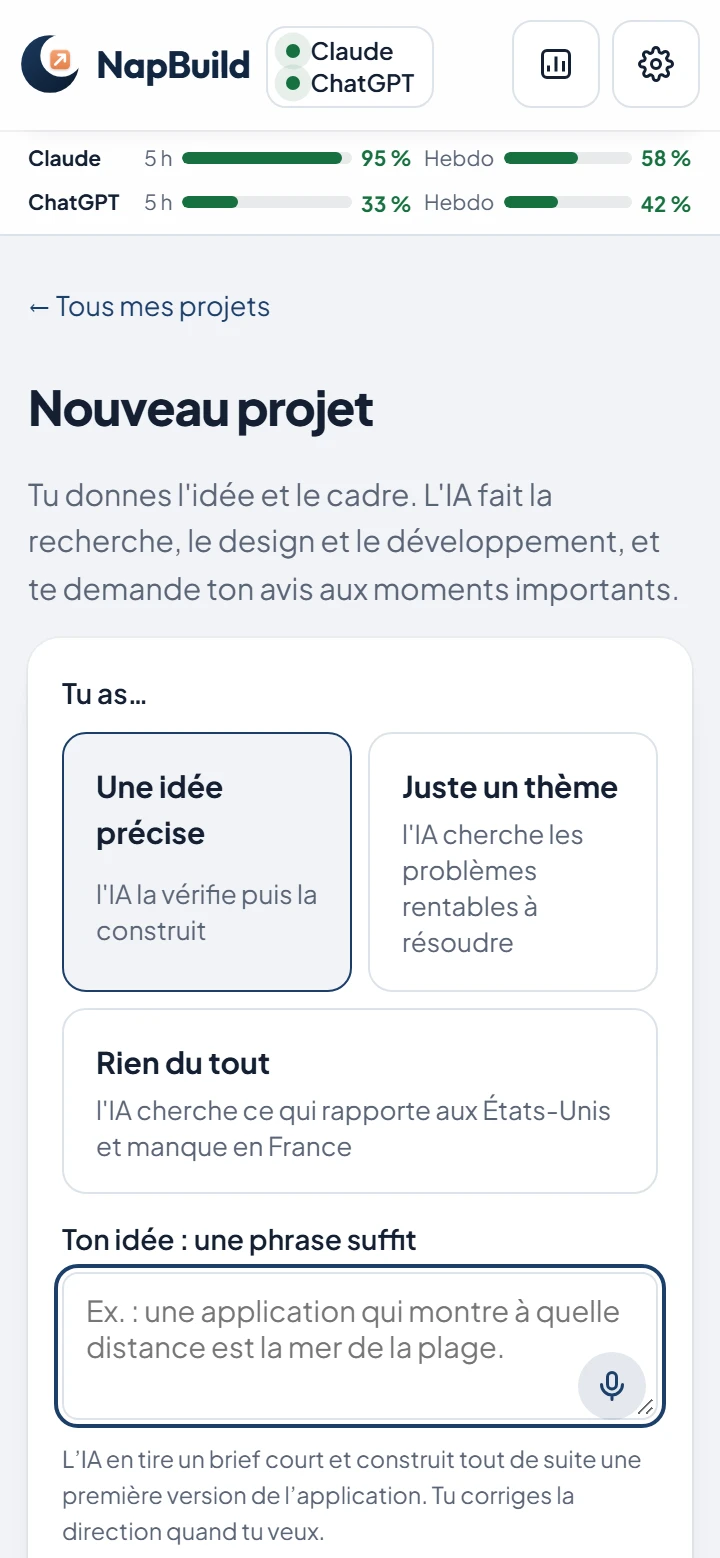
Where NapBuild is weaker: it needs a Windows or Mac computer switched on while the AI works, and an AI subscription of your own. It is not a browser tool, and it will not give you a running prototype in two minutes the way Rork or Anything can. Checkout was not yet open on November 1, 2026. The home page has the details.
Which one to choose
Solo founder with a small budget. If you want the lowest bill and do not mind a computer app, NapBuild’s yearly plan is the cheapest line in the table, before your AI subscription. If you want to try an idea from a browser tonight, start with Anything or Rork.
Non-developer with a budget. If you want a visual, no-code product, pick Adalo or Bubble. If you want a native app from a chat with the most automated publishing, pick Rork.
Freelancer or agency. FlutterFlow for visual work with Flutter code, Bolt when you or your client wants to edit React Native code. For a three-way comparison of Lovable, Bolt and NapBuild, see this page. For a view built around AI credits, see AI app builders without credits.
FAQ
What is the best AI app builder for iOS and Android?
It depends on what you value. Rork has one of the most automated store publishing flows, Anything a low entry price, FlutterFlow a visual editor with downloadable code, and NapBuild the lowest yearly cost if you already have an AI subscription and a Windows or Mac computer.
Can an AI builder publish my app to the stores for me?
Partly. Rork and Bubble build and submit for iOS, and Rork can send an Android file to internal testing. Everyone still needs their own developer account, a store listing and Apple’s or Google’s review. None of these tools can guarantee approval.
Do I need a Mac to publish an iPhone app?
Not with every tool. Rork and Replit build in the cloud, so no Mac or Xcode is needed. NapBuild says building and signing happen on a Mac or in the cloud. Check each tool’s guide for your case.
Is a wrapped web app a real app?
It is a real installable app, but it shows a website inside a native shell. Base44 does this, and NapBuild offers it as one of three options, alongside Expo and fully native. A native app suits cameras, widgets and heavy animation better.
Why not Lovable?
Lovable builds web apps and says it does not generate React Native projects. You can wrap its published site yourself, but store publishing is not built in, so it is not in the comparison above.
Take a nap. Build an app. NapBuild researches the market, designs, codes, tests, writes the store listing and ships your app, on your own AI subscription. Try it free for 48 hours.
See how NapBuild worksSources
- Rork subscriptions and plansRork · read November 1, 2026
- What happened to Expo?Rork · read November 1, 2026
- How to publish your Rork app to Google PlayRork · read November 1, 2026
- Publish your app to the Apple App StoreRork · read November 1, 2026
- Anything pricingAnything · read November 1, 2026
- iOS and Android publishingAnything · read November 1, 2026
- Android publishing (beta)Anything · read November 1, 2026
- Replit pricingReplit · read November 1, 2026
- Building mobile apps with ExpoReplit · read November 1, 2026
- Bolt pricingBolt · read November 1, 2026
- Expo for mobile appsBolt · read November 1, 2026
- Base44 pricingBase44 · read November 1, 2026
- Submitting your app to app storesBase44 · read November 1, 2026
- FlutterFlow pricingFlutterFlow · read November 1, 2026
- Apple App Store deploymentFlutterFlow · read November 1, 2026
- Google Play Store deploymentFlutterFlow · read November 1, 2026
- Adalo pricingAdalo · read November 1, 2026
- App Store publishingAdalo · read November 1, 2026
- Bubble pricingBubble · read November 1, 2026
- Publishing FAQ for native mobile appsBubble · read November 1, 2026
- Lovable FAQ: native appsLovable · read November 1, 2026
- Apple Developer ProgramApple · read November 1, 2026
- Google Play Console registration feeGoogle · read November 1, 2026
- App testing requirements for new personal accountsGoogle · read November 1, 2026
Written by NapBuild with help from AI, from the sources above, read on the dates shown. NapBuild is one of the products compared: we are not neutral, so every competitor fact links to its official page.