
Lovable vs Bolt vs NapBuild: what’s actually different?
Published November 1, 2026 · by NapBuild
Contents
Lovable and Bolt both turn a prompt into a working app in your browser, and both bill you in credits or tokens. NapBuild is a different kind of tool. It runs on your own computer and your own AI subscription, and it takes an idea all the way to Google Play and the App Store. For a quick web app with a hosted database, pick Lovable or Bolt. For a store-ready phone app, look at Bolt (through Expo) or NapBuild.
Everything about Lovable and Bolt below was read on their official pricing and documentation pages on November 1, 2026. Plans change often, so check the sources at the bottom before you pay. NapBuild’s prices are also as of November 1, 2026.
The short comparison
| Lovable | Bolt | NapBuild | |
|---|---|---|---|
| What it builds | Web apps (it does not generate React Native) | Websites, web apps and mobile apps (through Expo) | Phone apps, web apps, sites, desktop software |
| Where you work | In the browser | In the browser | An app on your Windows or Mac computer, followed from your phone |
| Entry price (Nov 1, 2026) | Pro: $25/month for 100 credits ($250/year) | Pro: $25/month for 10M tokens | $24.90/month, $119/year or $299 once |
| What pays for the AI | Credits in your plan | Tokens in your plan | Your own AI subscription (Claude, ChatGPT, Grok or Gemini). No credits sold |
| Without paying | Free plan: 5 build credits a day, 30 a month | Free plan: 1M tokens a month, 300K a day | 48 hours of everything, then steps 1 to 3 stay open |
| Hosting | Included (lovable.app, custom domain on paid plans) | Included (bolt.host, custom domain on paid plans) | Not a host. The website it builds goes live on your own Netlify account |
| Hosted database | Yes (Lovable Cloud, built on Supabase’s open-source base) | Yes (Bolt Cloud, or Supabase on Pro) | Not described on NapBuild’s home page |
| Code | Git sync on any plan, zip download on paid plans | GitHub sync, zip download | The code is yours, on your computer |
| Google Play and App Store | No built-in flow: PWA, or wrap it yourself with Capacitor | Expo, then you submit with EAS commands | Prepares the signed build, listing and visuals, then submits if you allow it |
Pricing and credits, in plain numbers
Lovable. Pro starts at $25 a month for 100 credits, or $250 a year (about $21 a month). Business starts at $50 a month for 100 credits and adds team and security features such as SSO. Higher credit tiers exist on both. The free plan gives 5 build credits a day, capped at 30 a month, and it cannot download the code or connect a custom domain. Credits also run the app: Lovable says apps that use the built-in backend or AI features need available credits to serve requests. Each plan includes a monthly grant of 20 Cloud credits for that.
Bolt. Pro is $25 a month, billed monthly, with 10 million tokens that roll over. The free plan has 1 million tokens a month and a 300,000-token daily cap, shows a "Made in Bolt" badge and has no custom domain. Bolt’s pricing page advertises up to 28% off for yearly billing but does not show the annual price. Its help center gives one example: Pro at 10M tokens for $216 a year. Bolt also says larger projects use more tokens per message, because it reads your project each time.
NapBuild. $24.90 a month, $119 a year or $299 once, with a 48-hour trial of everything and no card. The idea, market study and identity (steps 1 to 3) stay open after that. NapBuild sells no AI credits: you connect an AI subscription you already pay for, so your total cost depends on that subscription. When we wrote this, checkout on NapBuild’s home page was still marked "opening soon".
The honest summary: NapBuild’s license costs about the same as Lovable’s or Bolt’s entry plan by the month, and far less by the year ($119), but it does not include the AI. If you have no AI subscription yet, add that to your math. If you already pay for Claude or ChatGPT, nothing runs out while you iterate. See the full NapBuild pricing.
Hosting and database
Lovable and Bolt are the easier choice here. Both host your app, give you an address on their own domain, and offer a built-in backend with a database, user accounts and file storage. Lovable’s backend builds on Supabase’s open-source foundation. Bolt’s backend creates databases automatically when a project needs one, and on Pro you can choose Supabase instead.
NapBuild’s home page does not describe a hosted database. It builds the app and, separately, its website, which goes live on your own Netlify account. If your idea is mainly a web app with user accounts and data, start with Lovable or Bolt.
Code and ownership
All three give you the code. Lovable syncs to GitHub, GitLab or Bitbucket on any plan and lets you download a zip on paid plans. Bolt syncs both ways with GitHub (it checks GitHub every 30 seconds) and lets you download a zip. Bolt cannot merge branches inside the app, so you merge them in GitHub.
NapBuild keeps your projects and keys on your computer. You never have to open the code, but it exists and it is yours. A team that wants to edit the code every day will feel at home with Lovable’s or Bolt’s GitHub flows.
Getting on Google Play and the App Store
This is where the three differ most.
Lovable builds web apps. Its docs say there is no built-in flow to package and submit a project to the App Store or Google Play, and that Lovable does not generate React Native projects. Two routes remain: make the published app a PWA that people add to their home screen, or wrap the published address in a native shell with Capacitor, outside Lovable, then submit that shell yourself. Lovable also has a phone app, but it is for building your projects away from your computer, not for publishing them.
Bolt can build iOS and Android apps through Expo. You must say "mobile app" in your first prompt, because web projects do not easily switch to mobile. You test on your phone with the Expo Go app. To publish, Bolt’s help center sends you to Expo’s EAS tools: you need Node.js, Git, an Expo account and the store accounts, and you run commands to send builds to TestFlight and Google Play. Bolt lists known problems: missing certificates make builds fail, and the stores can reject an app.
NapBuild builds for the stores from the start. It prepares the signed Android build, the listing, the visuals in every required size and the data safety form, then submits to Google Play if you allowed it. For iPhone, it builds the project and the listing, and building and signing happen on a Mac or in the cloud. You choose how the app is built: wrapped web with Capacitor, React Native with Expo, or fully native Kotlin and Swift.
No tool can promise approval. Google and Apple decide, whichever route you use. The developer accounts stay yours too: $25 once at Google and $99 a year at Apple. NapBuild’s ten steps to the stores show what it prepares at each stage.
What each one asks of you
- Lovable: a browser and credits. Nothing to install. For a store app, a separate wrapping step.
- Bolt: a browser and tokens. For a store app, a terminal, Expo and the store accounts.
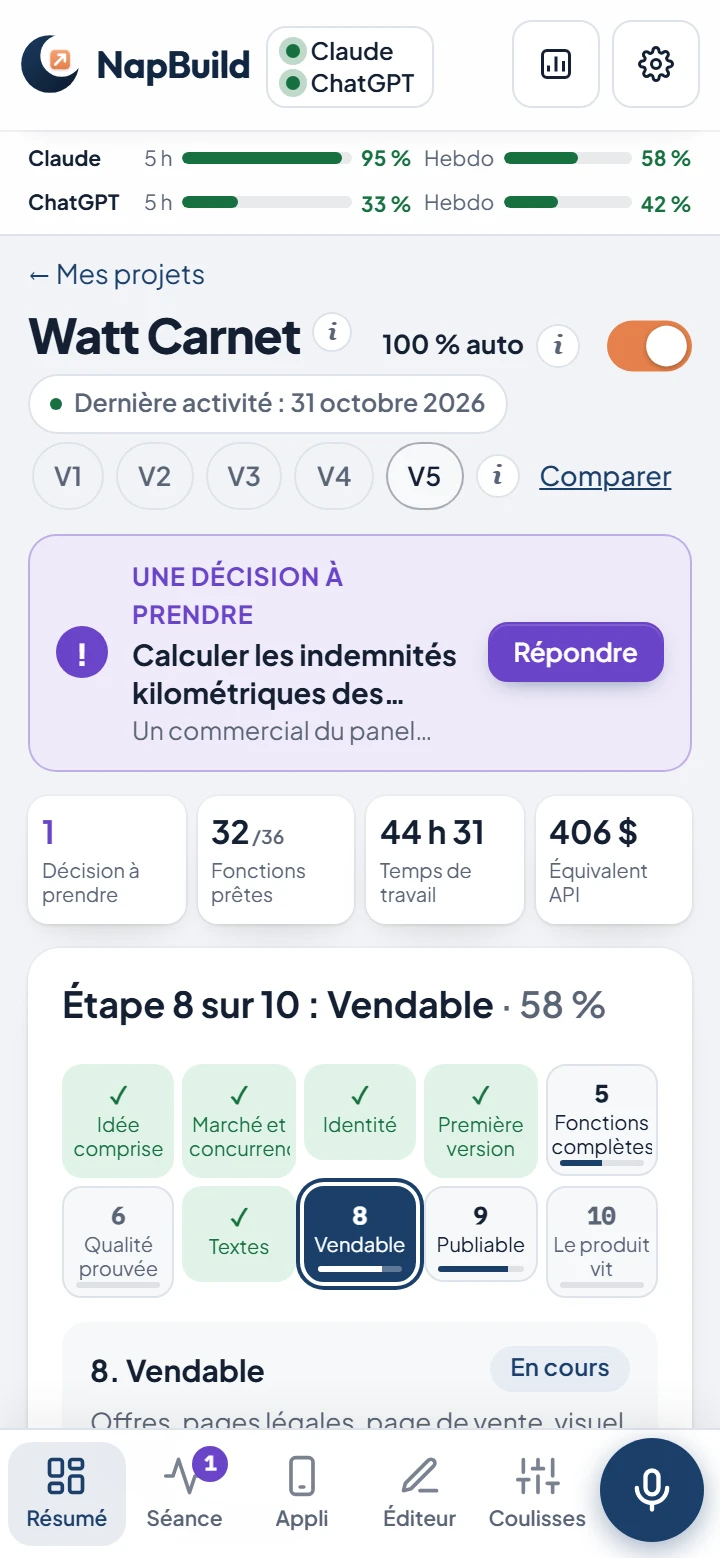
- NapBuild: a Windows or Mac computer left on while the AI works, plus a subscription to Claude, ChatGPT, Grok or Gemini. Its pipeline is longer than a prompt and a preview: it researches the market, writes tests before the code, and has independent judges score the running screens.
Which one should you choose?
Solo founder
If you want to show something to users this week, such as a web app with logins and data, start with Lovable or Bolt. If your product is a phone app that must be on Google Play and the App Store, and you already have an AI subscription, NapBuild fits better: it covers the market research, store listing and launch steps that Lovable and Bolt leave to you. Bolt is the closer alternative if you are comfortable with a terminal.
Non-developer with a budget
Lovable is the simplest way to get a working web app with nothing to install, as long as you watch your credits. For a mobile app in the stores without touching a terminal, NapBuild is built for that, but you need a computer and an AI subscription.
Freelancer or agency
For client web apps whose code your team will keep editing, Lovable or Bolt plus GitHub is the natural fit, and Bolt Teams or Lovable Business add team features. NapBuild suits a mobile app delivered with its store listing and its website; one license works on 2 computers. For more tools, see our guide to the best AI app builders for iOS and Android.
FAQ
Is Lovable or Bolt better?
Neither wins everywhere. Lovable builds web apps and hosts the backend. Bolt does web too and adds mobile apps through Expo, but you publish to the stores yourself with command-line tools. The right pick depends on whether you need a web app or a phone app in the stores.
Can Lovable publish to Google Play or the App Store?
Not by itself. Lovable’s documentation says there is no built-in flow for it and that it does not generate React Native projects. You can use a PWA, or wrap your published app with Capacitor outside Lovable and submit it yourself.
Does NapBuild include AI credits?
No. NapBuild does not sell credits. You connect your own Claude, ChatGPT (through Codex), Grok or Gemini subscription on your computer. That removes the credit meter, but you need an AI subscription and a Windows or Mac computer.
Can I try NapBuild before paying?
Yes. For 48 hours everything is unlocked, with no card. After that, the idea, market study and identity stay open with no time limit. Building the app all the way to the stores needs a license. Start from the home page.
We make NapBuild, so we are not a neutral party. That is why every Lovable and Bolt figure on this page links to its official source, read on November 1, 2026.
Take a nap. Build an app. NapBuild researches the market, designs, codes, tests, writes the store listing and ships your app, on your own AI subscription. Try it free for 48 hours.
See how NapBuild worksSources
- Lovable subscription plans (Pro, Business, credits)Lovable Documentation · read November 1, 2026
- Lovable pricingLovable · read November 1, 2026
- Publish your Lovable project (hosting, custom domains, App Store and Google Play)Lovable Documentation · read November 1, 2026
- Lovable FAQ (native apps, Capacitor, code download, Git sync)Lovable Documentation · read November 1, 2026
- Lovable Cloud (built-in backend)Lovable Documentation · read November 1, 2026
- Lovable mobile appLovable Documentation · read November 1, 2026
- Bolt pricingBolt · read November 1, 2026
- Bolt billing (annual plans, cancellation)Bolt Help Center · read November 1, 2026
- Bolt tokens (monthly cap, daily cap, rollover)Bolt Help Center · read November 1, 2026
- Intro to Bolt (what it builds, WebContainers)Bolt Help Center · read November 1, 2026
- Expo for mobile apps in Bolt (build, test, publish with EAS)Bolt Help Center · read November 1, 2026
- Publish a Bolt project (bolt.host, custom domains)Bolt Help Center · read November 1, 2026
- Bolt built-in databaseBolt Help Center · read November 1, 2026
- GitHub for version control in BoltBolt Help Center · read November 1, 2026
- Play Console registration feeGoogle Play Console Help · read November 1, 2026
- Apple Developer Program enrollment (annual fee)Apple Developer · read November 1, 2026
Written by NapBuild with help from AI, from the sources above, read on the dates shown. NapBuild is one of the products compared: we are not neutral, so every competitor fact links to its official page.